How to request Shopify's "read_all_orders" scope
This guide is required if you want to see order data past the 60-day window. To do this, your custom app needs the read_all_orders scope in Shopify, which has to be approved by Shopify before it works.
Published Jun 11, 2026
Why this matters: By default, the standard read_orders scope only exposes orders from the last 60 days. The read_all_orders scope grants access to the store's full order history, which is what Zuzana needs to answer support questions about older orders (warranty and defect claims, returns and exchanges, repeat and subscription purchases, refund follow-ups, etc.).
Step 1 – Open your app in the Partner Dashboard
- Log in to the Shopify Partner Dashboard.
- In the left sidebar, go to App distribution → All apps.
- In the app list, click your custom app (for example, Zuzana AI [DEV]).
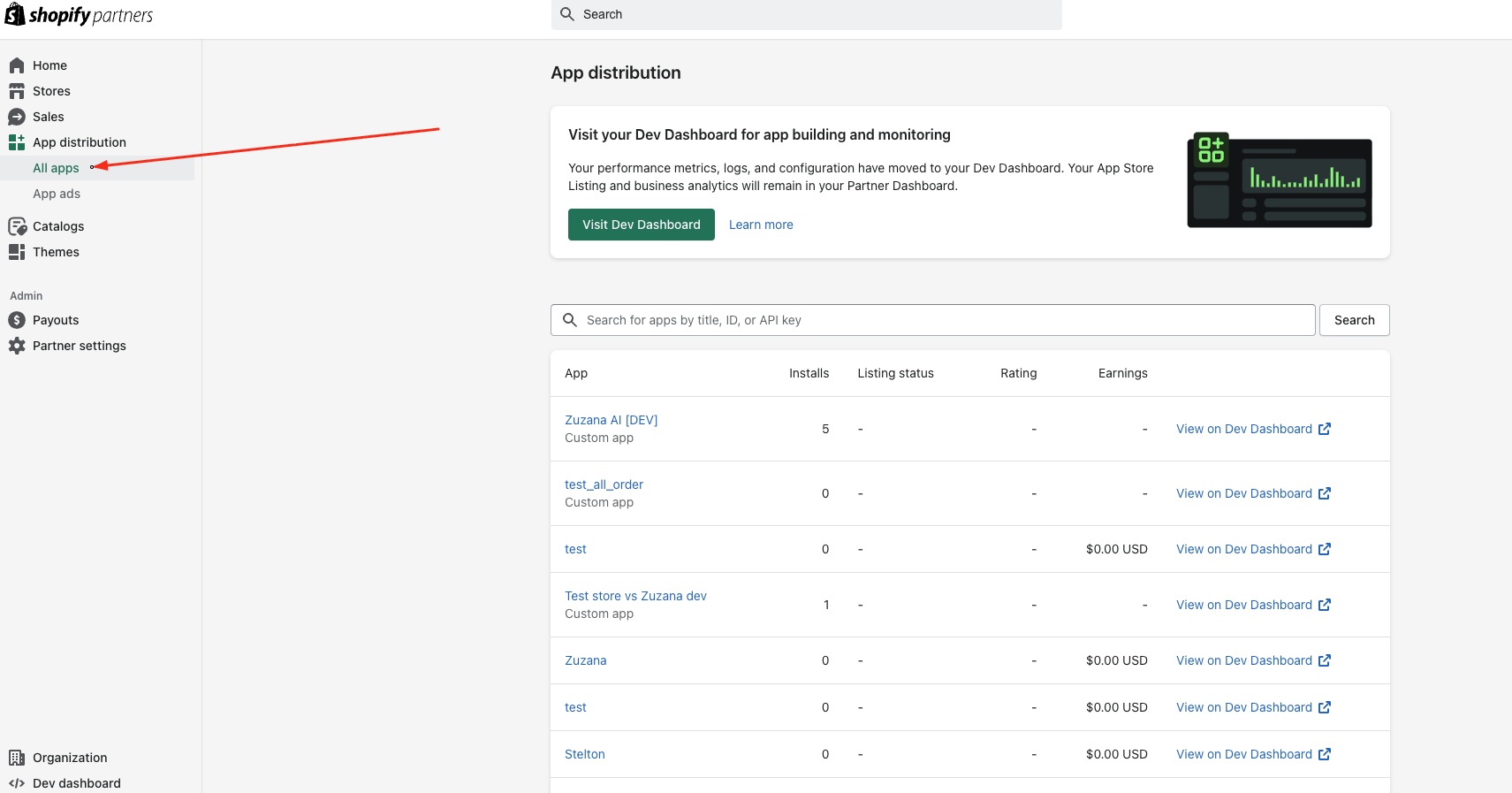
Step 1
Step 2 – Request the "Read all orders" scope
- With the app open, look at the left sidebar.
- Click API access requests.
This page lists the sensitive scopes you can request for the app.
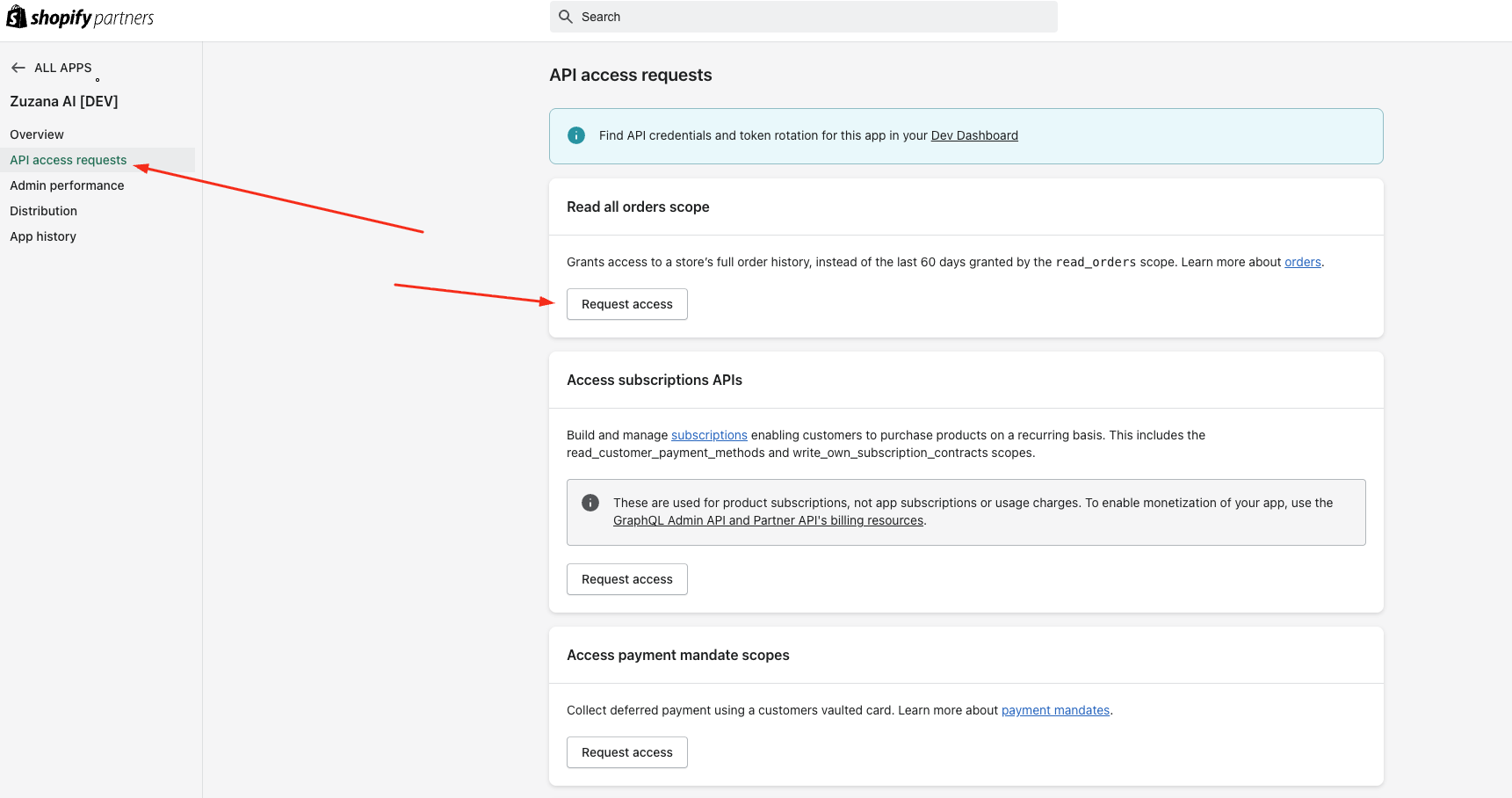
Step 3 – Request the "Read all orders" scope
- Find the Read all orders scope card at the top of the page.
It explains: this grants access to a store's full order history, instead of the last 60 days granted by the read_orders scope.
- Click Request access on that card.
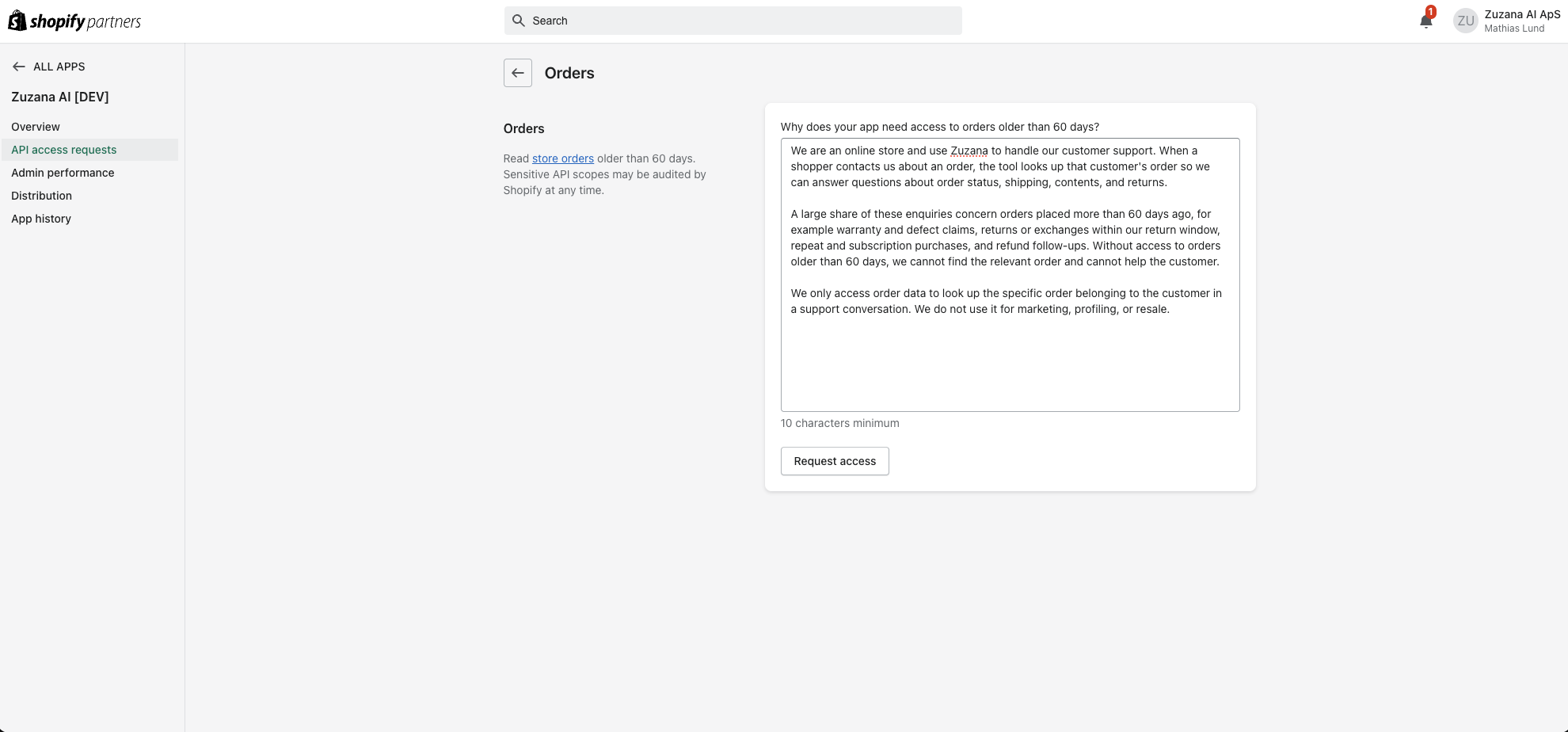
Step 3
Step 4 – Explain why you need access
Shopify will ask: "Why does your app need access to orders older than 60 days?" (10 characters minimum).
Fill in a clear justification. You can adapt the template below:
We are an online store and use Zuzana to handle our customer support. When a shopper contacts us about an order, the tool looks up that customer's order so we can answer questions about order status, shipping, contents, and returns.
A large share of these enquiries concern orders placed more than 60 days ago, for example warranty and defect claims, returns or exchanges within our return window, repeat and subscription purchases, and refund follow-ups. Without access to orders older than 60 days, we cannot find the relevant order and cannot help the customer.
We only access order data to look up the specific order belonging to the customer in a support conversation. We do not use it for marketing, profiling, or resale.
Then click Request access to submit.
Step 5 – Wait for approval and update your scopes
- Shopify reviews the request. Approval can be immediate or usually quick, but can take longer for stricter reviews.
- Once approved, make sure your app's access scopes include "read_all_order" (in addition to "read_orders") - please see this guide.
- Reinstall / re-authorize the app on the store so the new scope takes effect — existing tokens won't gain the scope until the merchant re-grants it.
Related Articles